Super Stickers
On this Page
Overview
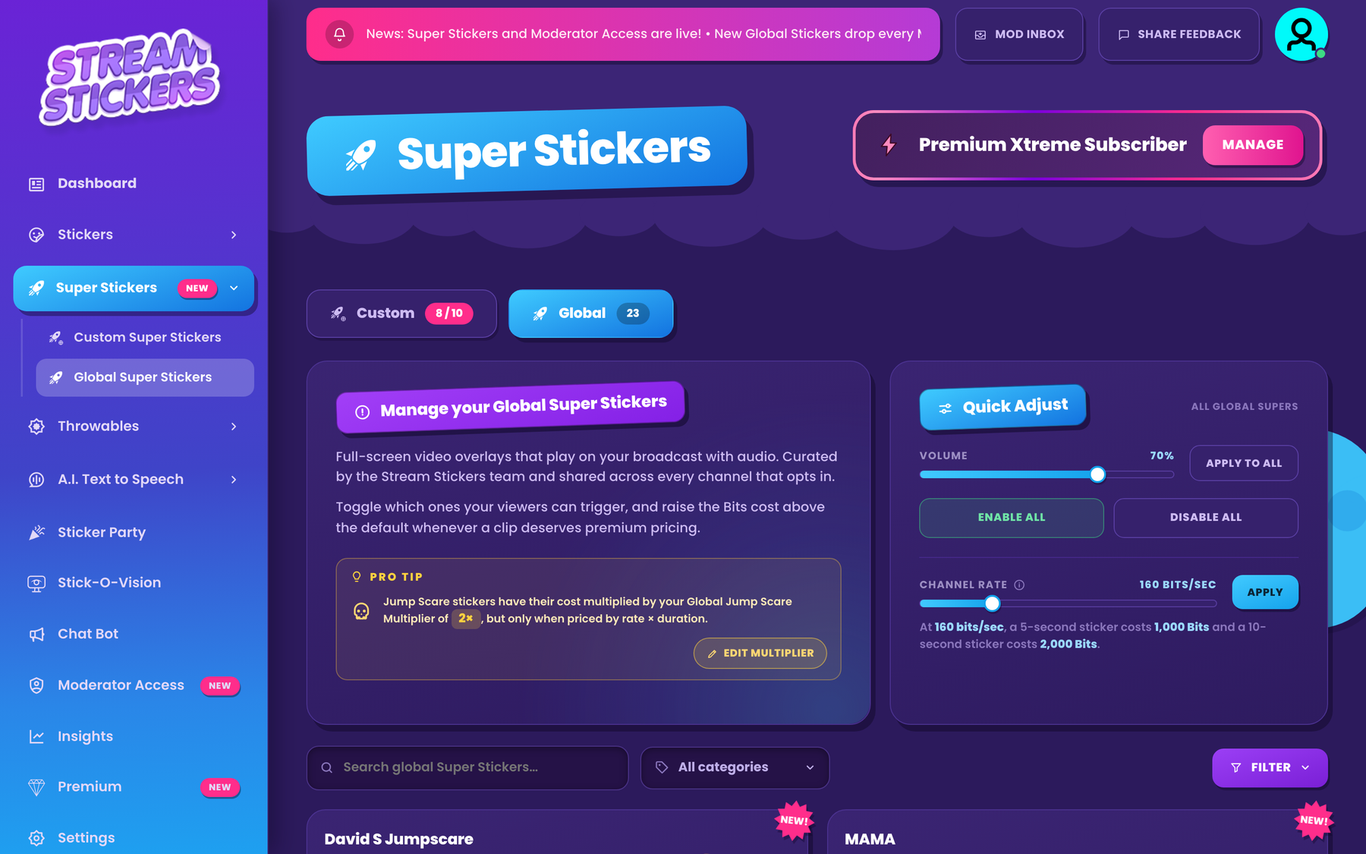
Super Stickers are full-screen video overlays with sound that your viewers play right on your stream. Find them under Super Stickers in your dashboard, with a “Custom” tab for your own clips and a “Global” tab for ours.
Twitch Affiliate required
Super Stickers are for Twitch Affiliates and Partners, since viewers pay for them with Bits.
Global Super Stickers
Our curated collection of full-screen clips, shared with every channel that opts in, with new ones added regularly. Switch on the ones your viewers can trigger, and raise the price on any clip that deserves premium pricing. Turn on Auto-Enable → Super Stickers in Settings → GENERAL and new ones switch on automatically.
Custom Super Stickers
Upload your own! Tap “UPLOAD SUPER STICKER” on the Custom tab. The wizard takes four steps:
- Upload & key: a .webm or .mp4 video, up to 50 MB and 45 seconds long. Use CHROMA KEY to remove a green screen and NORMALIZE to even out the volume.
- Thumbnail & crop: choose how it looks in the viewer panel.
- Details: name it and set its price.
- Review: check everything and submit.
Every custom Super Sticker is reviewed before it can play. You’ll see “ENCODING” while we prepare it and “AWAITING REVIEW” until it’s approved. You get 10 custom slots, or 20, 30 or 50 with Premium, and the free Premium Booster adds bonus slots.
Pricing and Settings
Super Stickers are priced by length: set a channel rate in Bits per Second and longer clips cost more, up to 10,000 Bits. Jump-scare clips can cost more with the Global Jump Scare Price Multiplier in Settings → SUPER STICKER, where you can also “Enable Queueing” so Super Stickers wait their turn instead of overlapping.
Sticker Party
Super Stickers can’t play during a Sticker Party. They’re back as soon as the party ends.